This guide walks you through the simplest workflow for mass-producing barcodes using DataLinker and BarcodeMaker.
1. Set up your data source
In DataLinker, create a data source containing the values you want to encode.
Learn more about creating data sources.In the DataLinker palette, right-click the field containing your data and choose Edit Field.
This opens the Field Options dialog.-
In the Field Options dialog:
Enable Barcode Field.
Choose the Data Matrix barcode type.
Select Fit Frame to Content for best layout results.
More details on barcode settings.
2. Insert a barcode in your document
Create a new document and a text frame.
Select the Text Tool and click inside the text frame so the text cursor is active.
In the DataLinker palette, double-click your field.
This inserts a barcode in the text frame.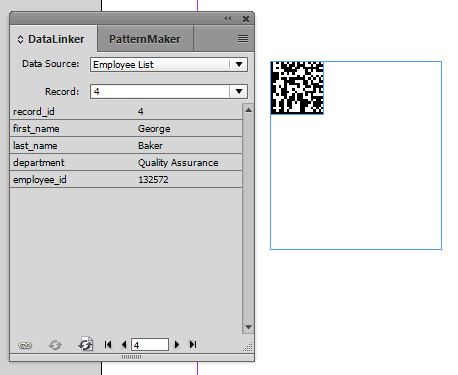
Example: a barcode anchored in a text frame.
Insert a Column Break after the barcode.
To insert a column break in InDesign, place your cursor where you want the break and press the Enter key on the numeric keypad, or go to Type > Insert Break Character > Column Break.
3. Adjust barcode settings
Open the PatternMaker palette.
Use the Selection Tool (black arrow) to select the barcode.
The barcode’s properties appear in the PatternMaker palette.Adjust settings as needed to apply consistent formatting to all generated barcodes.
4. Merge your records
Switch to the Text Selection Tool and select all content in the text frame.
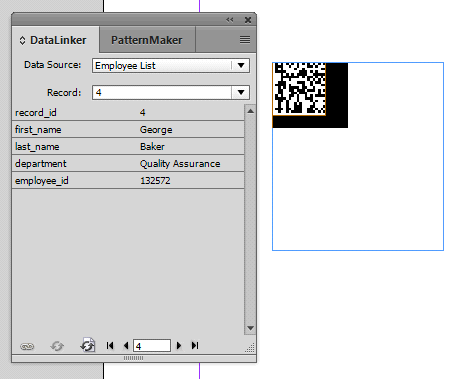
Example: selected content in a text frame.Choose DataLinker > Merge.
Select the records you want to merge and click OK.
Each record will generate a new page with its own barcode.
5. Expand your workflow
Once the basics are working, you can extend your setup:
Multiple frames and pages: Merge over linked text frames and multiple pages. Each frame must be separated by column breaks to display different data in each frame.
Static and dynamic content: Combine merged data with manually placed static content.
Tip: Place all static elements on a master page for faster merges.
6. Styling
Use standard InDesign tools to style text and graphics.
DataLinker preserves your formatting when merging.